
Managing documents efficiently is a cornerstone of productivity in today’s fast-paced work environment. Whether you are a student juggling assignments, a professional handling reports, or a business managing large volumes of paperwork, having the right tools can make all the difference. WPS, a versatile office suite, offers a range of features that simplify document management, allowing users to work smarter and stay organized. This article explores how WPS can transform your approach to document handling and elevate your workflow to professional levels.
Streamlined Document Creation
One of the primary ways WPS helps users manage documents like a pro is through its intuitive creation tools. WPS Writer, the word processing component of the suite, provides an interface that balances simplicity with powerful functionality. Users can create documents from scratch or use a variety of pre-designed templates to save time. From business letters and reports to resumes and academic papers, WPS offers templates that ensure your documents are professionally formatted with minimal effort.
The suite also supports multiple file formats, including DOC, DOCX, PDF, and TXT, allowing seamless collaboration with colleagues who may use different software. This compatibility eliminates the frustration of formatting errors and ensures that your documents always maintain their intended layout. With WPS, document creation becomes not only efficient but also consistently professional.
Efficient Organization and Storage
Managing documents is not just about creating them—it’s also about organizing and storing them effectively. WPS provides built-in tools that help users categorize and locate files quickly. Features such as folder management, tagging, and cloud integration allow you to organize your documents logically, reducing the time spent searching for important files.
WPS Cloud, for instance, offers secure online storage that ensures your documents are accessible from any device, anywhere. This feature is particularly valuable for professionals who need to work remotely or collaborate across multiple locations. By centralizing your documents in a cloud environment, WPS reduces the risk of data loss and streamlines the process of sharing and updating files.
Advanced Editing and Formatting Tools
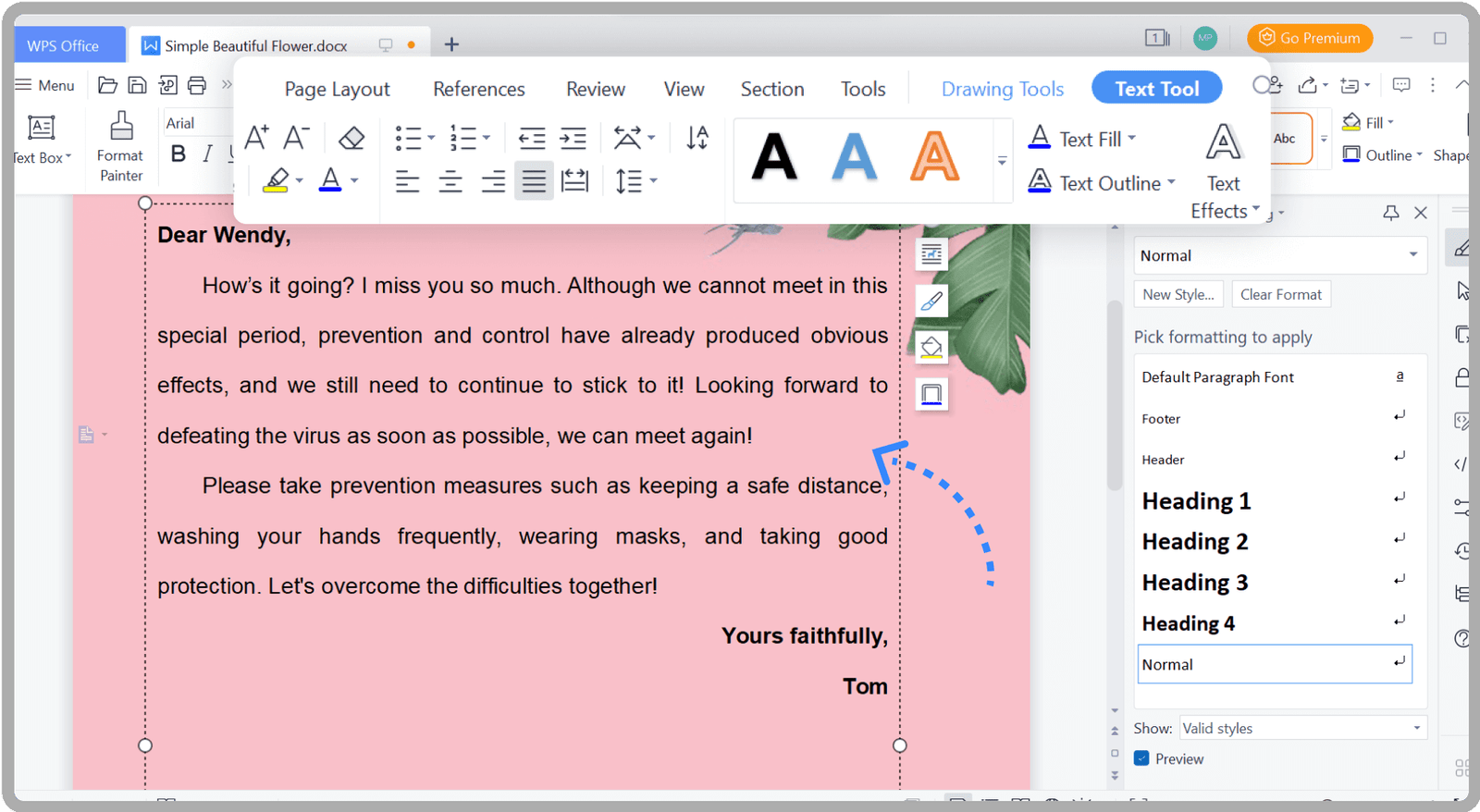
A professional document often requires precise editing and formatting. WPS excels in providing a comprehensive set of editing tools that make this process straightforward. Users can adjust text styles, insert tables and images, create headers and footers, and apply consistent formatting throughout a document with just a few clicks.
The suite’s smart formatting features, such as auto-correct and style suggestions, ensure that your documents are not only visually appealing but also error-free. WPS also supports advanced functions like track changes and comments, which are essential for collaborative editing. These tools allow multiple users to provide input and make revisions without disrupting the original content, making teamwork seamless and efficient.
Robust PDF Management
PDF documents are a staple in professional environments, and WPS offers a powerful set of tools for managing them. Users can convert documents to and from PDF format easily, combine multiple PDFs into a single file, and even extract specific pages when needed.
WPS PDF editing capabilities go beyond simple viewing. You can annotate, highlight, and add comments to PDF files, making it easier to review and share feedback. For professionals who deal with contracts, reports, or manuals, these features streamline workflows and reduce the need for additional software. With WPS, managing PDFs becomes an integrated part of your document management process rather than a separate challenge.
Seamless Collaboration
Effective document management often requires collaboration, and WPS provides multiple features to facilitate teamwork. Real-time co-editing allows multiple users to work on the same document simultaneously, while version control ensures that changes are tracked and previous iterations are preserved.
Additionally, WPS supports cloud-based sharing, enabling users to send documents with a simple link rather than cumbersome email attachments. Permissions can be set to control who can view, edit, or comment on a document, ensuring that sensitive information remains secure. These collaboration tools empower teams to work efficiently, reduce miscommunication, and maintain professional standards across all documents.
Templates and Automation
Repetitive tasks can slow down productivity, but WPS addresses this challenge through templates and automation. Users can save custom templates for frequently used document types, ensuring consistency and saving valuable time.
Moreover, WPS includes features such as macros and batch processing that automate repetitive actions. Whether you need to format multiple documents, convert files to a different format, or insert standard sections, these automation tools reduce manual effort and minimize errors. By leveraging WPS’s automation capabilities, users can focus on the content and strategy of their work rather than tedious formatting tasks.
Mobile Accessibility
In today’s mobile-driven world, managing documents on the go is essential. WPS offers mobile applications that mirror many of the desktop features, allowing users to create, edit, and share documents from smartphones and tablets.
The mobile interface is designed for efficiency, providing touch-friendly controls and optimized layouts for smaller screens. With cloud integration, documents edited on mobile devices sync seamlessly with the desktop version, ensuring continuity and flexibility. Professionals can review reports, make quick edits, or approve documents from virtually anywhere, maintaining productivity even when away from the office.
Security and Data Protection
Managing documents like a pro also means safeguarding sensitive information. WPS includes robust security features that protect your files from unauthorized access. Password protection, encryption, and secure sharing options ensure that confidential documents remain private.
Additionally, cloud backups and version history features provide an extra layer of security, allowing users to recover previous versions of documents in case of accidental deletions or changes. By prioritizing document security, WPS helps professionals maintain trust and compliance in business environments.
Analytics and Review Tools
Beyond creation and storage, WPS also offers tools that aid in reviewing and analyzing documents. Spell check, grammar suggestions, and readability statistics help ensure that your writing meets professional standards.
For teams, the comment and annotation features facilitate thorough reviews, while tracking changes allows managers to monitor edits and maintain quality control. These tools are invaluable for businesses, educational institutions, and freelancers who need to produce high-quality, polished documents consistently.
Cost-Effective and User-Friendly
Finally, WPS stands out for its combination of professional-grade features and affordability. It provides a full suite of document management tools without the steep costs associated with some other office software. Its user-friendly interface ensures that both beginners and experienced users can navigate the software efficiently, reducing the learning curve and increasing adoption rates in workplaces.
By providing a comprehensive, accessible, and powerful platform, WPS allows individuals and organizations to manage documents like seasoned professionals without unnecessary complexity or expense.
Conclusion
Document management is a critical aspect of modern work, and WPS offers a complete solution for creating, organizing, editing, collaborating, and securing documents. From advanced formatting tools and PDF management to cloud-based storage and mobile access, WPS equips users with everything they need to handle documents efficiently and professionally.
Whether you are managing personal files, leading a team, or running a business, WPS provides the flexibility, efficiency, and reliability necessary to streamline workflows and improve productivity. With its robust features, user-friendly design, and commitment to compatibility and security, WPS truly enables users to manage documents like a pro.