

Corporate security teams obsess over endpoint protection for laptops and desktops whilst employees access sensitive systems through mobile devices that receive minimal security attention. This blind spot has created an enormous vulnerability that attackers exploit routinely. Mobile devices handle emails containing confidential information, access cloud applications storing customer data, and authenticate to corporate networks through VPNs. Yet many organisations implement stricter security controls on office coffee machines than on the smartphones accessing their most sensitive systems.
The Scale of Mobile Risk
The average employee now owns 2.3 mobile devices that access corporate resources. These devices connect to untrusted Wi-Fi networks, install applications from questionable sources, and often lack basic security controls like encryption or remote wipe capabilities. When an employee loses a phone containing corporate data, most organisations don’t even know what information was exposed. Mobile operating systems receive security updates irregularly. Many corporate phones run outdated versions with known vulnerabilities because users ignore update prompts or IT departments delay patches to avoid breaking compatibility. Attackers scan for these vulnerable devices constantly.
Building Effective Mobile Security
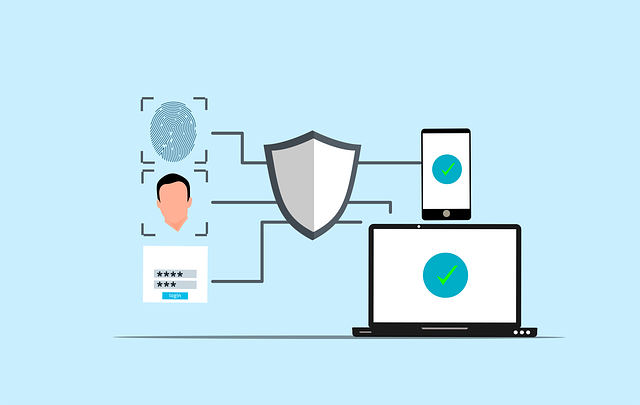
Implement mobile device management that enforces security baselines across all corporate devices. This includes mandatory encryption, screen locks with reasonable timeout periods, and automatic security updates. Don’t make policies so restrictive that employees find workarounds; balance security with usability. Segment corporate data from personal information through containerisation. Employees resist surrendering personal devices to complete corporate control, but they’ll accept solutions that protect work data whilst respecting privacy. This approach allows remote wiping of corporate information without affecting personal photos and messages.
Expert Commentary
Name: William Fieldhouse
Title: Director of Aardwolf Security Ltd
Comments: “During assessments, we regularly gain initial access through compromised mobile devices that organisations barely monitor. Employees use personal phones to access corporate email, then click phishing links that wouldn’t bypass desktop protections. The devices accessing your most sensitive data often have your weakest security controls.”
Regular web application penetration testing should include mobile application security assessment. Many organisations secure their web applications thoroughly whilst mobile apps accessing identical backend systems contain critical vulnerabilities. Testing both platforms ensures comprehensive coverage.
Enforce multi-factor authentication that doesn’t rely solely on SMS codes. SIM swapping attacks compromise SMS-based authentication easily. Use authenticator applications or hardware tokens that provide stronger security without significant usability penalties. Monitor mobile device behaviour for signs of compromise. Unusual data transfers, connections to suspicious servers, or installation of high-risk applications should trigger security reviews. Most organisations lack visibility into mobile device activities until after breaches occur.
Application Security and Permissions
Review mobile application permissions before deployment. Many corporate applications request excessive permissions that create security risks. An expense reporting application doesn’t need access to contacts, camera, and location data. Scrutinise what information applications can access and restrict permissions aggressively. Maintain an approved application list for corporate devices. Not every application deserves installation on devices accessing sensitive data. This doesn’t mean creating lengthy approval processes that frustrate users; it means establishing clear security requirements and streamlining reviews for applications meeting those standards.
Working with the best penetration testing company that understands mobile security ensures comprehensive assessment of your mobile attack surface. Generic security testing often overlooks mobile-specific vulnerabilities.
Employee Education and Awareness
Train employees on mobile security risks without patronising them. People understand their phones contain sensitive information; they need practical guidance on protecting it. Explain why security controls matter and how they prevent specific threats rather than implementing mysterious restrictions. Create clear policies about acceptable mobile device usage. Employees should know which activities are permitted, what data they can access from mobile devices, and how to report lost or compromised devices. Ambiguous policies lead to inconsistent behaviour and security gaps. Mobile devices represent critical components of modern corporate infrastructure, yet they receive security attention proportional to their perceived role as “just phones” rather than their actual function as powerful computers accessing your most sensitive systems. Closing this security gap requires treating mobile devices with the same rigour applied to traditional endpoints whilst acknowledging their unique characteristics and usage patterns.